Commercial Robot Vacuums for After-Hours Offices: Where Backpacks Still Win
Robots take the open night pass; backpacks still finish the office edges.
Shop now
Most Australian facility managers who trial a commercial robot vacuum after hours expect the backpacks to leave the building. What actually happens on Sydney and Melbourne CBD floors is different: the robot takes the open carpet runs, then a backpack still finishes the edges, under desks and the cable nests the robot treats as no-go zones. The win is not replacement. It is a split of labour that only works when you plan both machines together.
Robot vs backpack: the short commercial answer
A commercial robot vacuum after hours office Australia program works as a first pass on open hard floors and low-pile carpet, then a backpack detail. Robots cover mapped open space while staff sleep; backpacks still win on edges, chair bases, under desks and blocked zones. Buy for that hybrid, not a full crew cut.
That split is what the rest of this guide unpacks: where robots earn their keep, where they stall, and which Freshway listings help you build the hybrid without inventing a robot-only fantasy.
Where robots earn their keep in AU offices
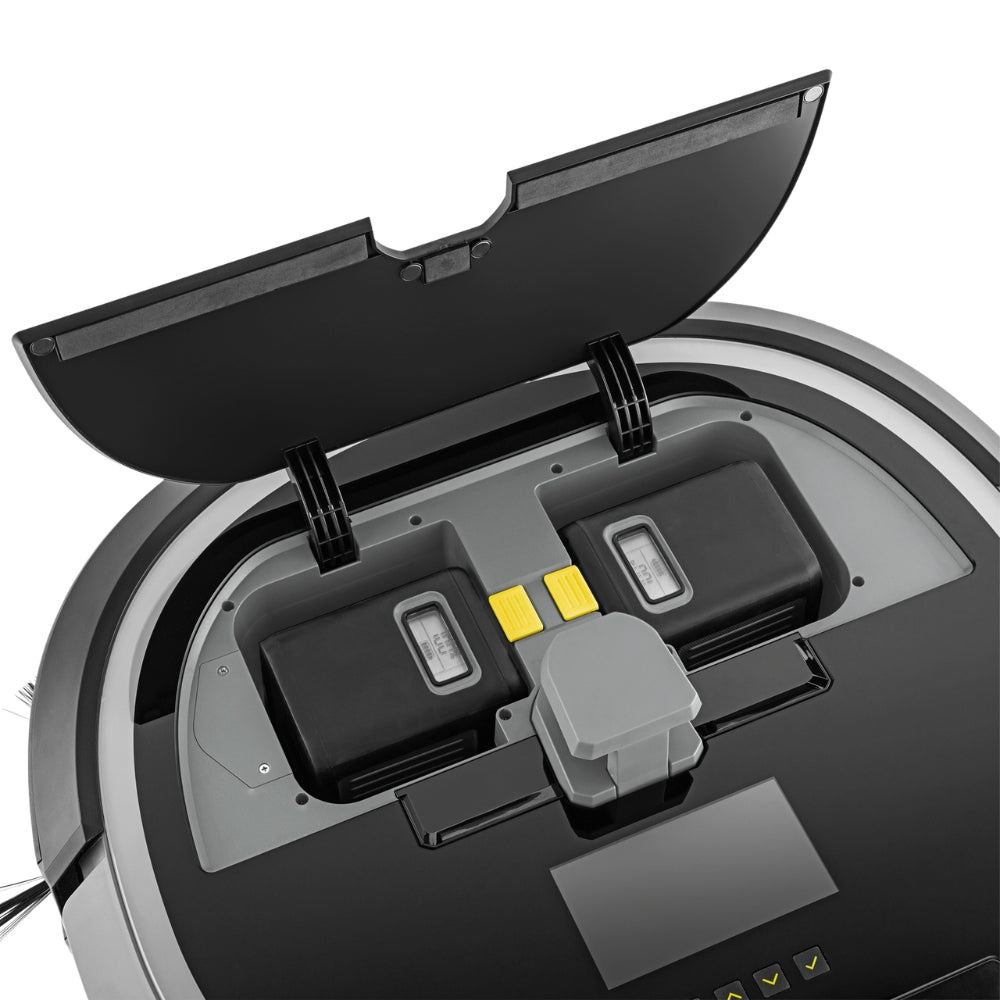
After-hours office vacuuming is repetitive open-area work. A mapped robot can run the same corridors and meeting rooms every night while the cleaning crew focuses on desks, pantries and washrooms. Freshway lists the Karcher KIRA CV 50 as a commercial autonomous vacuum on the 36V Battery Power+ platform, with LiDAR, ultrasonic and collision sensors, a 350 mm working width, up to 525 m²/h listed coverage, a 4.5 L container and runtimes up to 140 minutes in normal mode or 210 minutes in ECO mode. Clearance height is listed at 320 mm, which helps under many desks and tables.
For sites already on Makita 18V tools, the Makita DRC200Z is listed with dual 18V capability, a 2.5 L dust box, pattern or random navigation, and up to 200 minutes with two 5.0 Ah batteries covering about 500 m². The larger Makita DRC300Z listing adds LiDAR plus camera mapping across up to 10,000 m² and five room profiles, up to 240 minutes runtime and about 600 m² on a charge, with app scheduling and coverage reports.

Carpet edges, furniture and cables that stop robots
Robots fail where offices are densest. Chair bases, power boards, bag straps and long carpet edges trip cliff or obstacle sensors. Thick entrance mats and threshold strips create small "walls" that break a clean pattern. Leave grit on entries and you also raise slip and trip risk for early arrivals. Soft cable nests under sit-stand desks are classic no-go zones even when the map looks complete.
That is why backpacks stay in the kit. Freshway's backpack vacuums keep an operator mobile around furniture. The Pacvac Superpro 700 listing shows a 1000 W motor, 38 L/s airflow, HEPA-rated Hypercone filtration and an 18-metre cord — the kind of detail tool that finishes what the robot cannot reach.
After-hours security and charging dock placement
Dock placement decides whether the robot finishes its route. Put the dock on a clear hard floor near a spare GPO, away from fire doors and after-hours security gates that close on a timer. Keep the path from dock to the first corridor free of temporary signage. If security locks lift doors at 9 pm, the robot must already be on the right floor with a full map of that floor only.
Confirm who can pause or recall the unit if an alarm trips. App or onboard controls should be reachable by the night supervisor, not only the daytime FM. Treat the dock like plant: labelled, inspected, and kept off evacuation routes. Dispose of spent robot bags and dust under site waste rules consistent with NSW EPA waste guidance.
Labour maths: robot pass plus backpack detail
Work a simple split rather than a headcount cut. Example: a 2,000 m² open-plan floor where the robot can cover the open carpet and hard floors in one mapped run, then two cleaners spend 40–60 minutes on edges, desks and kitchens with backpacks. Without the robot, that open pass often ate a full cleaner-hour. With it, you reallocate that hour to detail and washrooms instead of deleting a shift.
| Task | Robot contribution | Backpack contribution | Buyer note |
|---|---|---|---|
| Open carpet runs | Primary nightly pass | Spot only if soil shows | Map must stay current |
| Under desks / chair bases | Often skipped | Primary detail | Keep backpacks charged or corded |
| Edges and skirtings | Partial wall-follow | Finish pass | Check wall-tracking settings |
| Cable nests / bags | No-go | Hand vacuum | Train staff not to clear cables for the robot alone |
| Stairs between floors | Not suitable | Required | One robot map per floor |
Noise and tenant complaints after 7 pm
After-hours noise still matters when tenants work late or apartments sit above retail. WorkSafe Victoria's noise guidance and WorkSafe Queensland's noise hazard pages remind duty holders to manage workplace noise exposure. Robots are usually quieter than a full backpack crew on open floors, but docks, beeps and bump events can still annoy. Run ECO or quiet schedules near glass meeting rooms and check listed dB figures on any backpack you keep for detail — for example the Nilfisk GD5 HEPA listing notes 62 dB(A).
When a backpack-only crew is still cheaper
Small tenancies, multi-level suites without lift access for docks, and sites with constant furniture moves often stay backpack-only. If maps need rebuilding every week because fitouts change, the robot's labour saving disappears into remapping time. Dense legal chambers packed with archive boxes are another backpack-first case: obstacle density beats open-area maths.
SafeWork NSW's guidance on hazardous manual tasks still applies to backpack weight and harness fit, so "cheaper" must not mean ignoring operator load. Choose lighter commercial backpacks and rotate operators on long runs.
Spec fields that matter on commercial robots
- Working width and listed m²/h against your open floor area, not the whole NLA.
- Bin litres — 2.5–4.5 L commercial bins beat domestic robot bins on dusty CBD carpets.
- Runtime and battery platform — exchangeable packs (KIRA 36V) versus dual 18V skins (Makita).
- Navigation — LiDAR/camera mapping versus random bounce; public-space certifications such as IEC 63327 where listed.
- Clearance height for under-desk work (KIRA CV 50 lists 320 mm / 300 mm height).
- App reporting if you need proof of clean for the soft services contract.

Buying mistakes to avoid
- Buying a robot to delete backpacks on day one.
- Mapping the whole building as one job when security zones differ by floor.
- Ignoring cable and bag clutter that will force constant no-go edits.
- Choosing on domestic robot habits instead of commercial bin size and runtime.
- Forgetting spare batteries or a clear dock GPO on the night circuit.
Frequently asked questions
Can a robot vacuum replace backpacks in an Australian office?
Usually no. Use the robot for open after-hours passes and keep backpacks for edges, desks and blocked zones.
Where should the charging dock go?
On clear hard floor near a spare GPO, inside the security zone the robot will clean, off evacuation paths.
Do commercial robots handle thick entrance mats?
Often poorly. Treat thick mats and thresholds as backpack or walk-off tasks and keep them out of the robot map if they cause stalls.
What backpack pairs well with a robot first pass?
A light commercial backpack with strong filtration, such as the Pacvac Superpro 700 or a Nilfisk GD5 HEPA from Freshway's backpack range.
Next steps with Freshway
Shortlist a robot from the robotic vacuum cleaners collection and pair it with a unit from backpack vacuums or cordless vacuums. Browse the wider vacuum cleaners range for fleet spares, and use service and repairs when docks, batteries or motors need work. Check each product page for current availability before you lock the night roster.